Reclaim Your Storage.
Keep Your Best Photos.

ShutterSlim uses AI to find similar photos in your Photos.app library and helps you decide which to keep—you review every suggestion before anything is deleted.

Get on the App Store macOS 14+ • $9.99
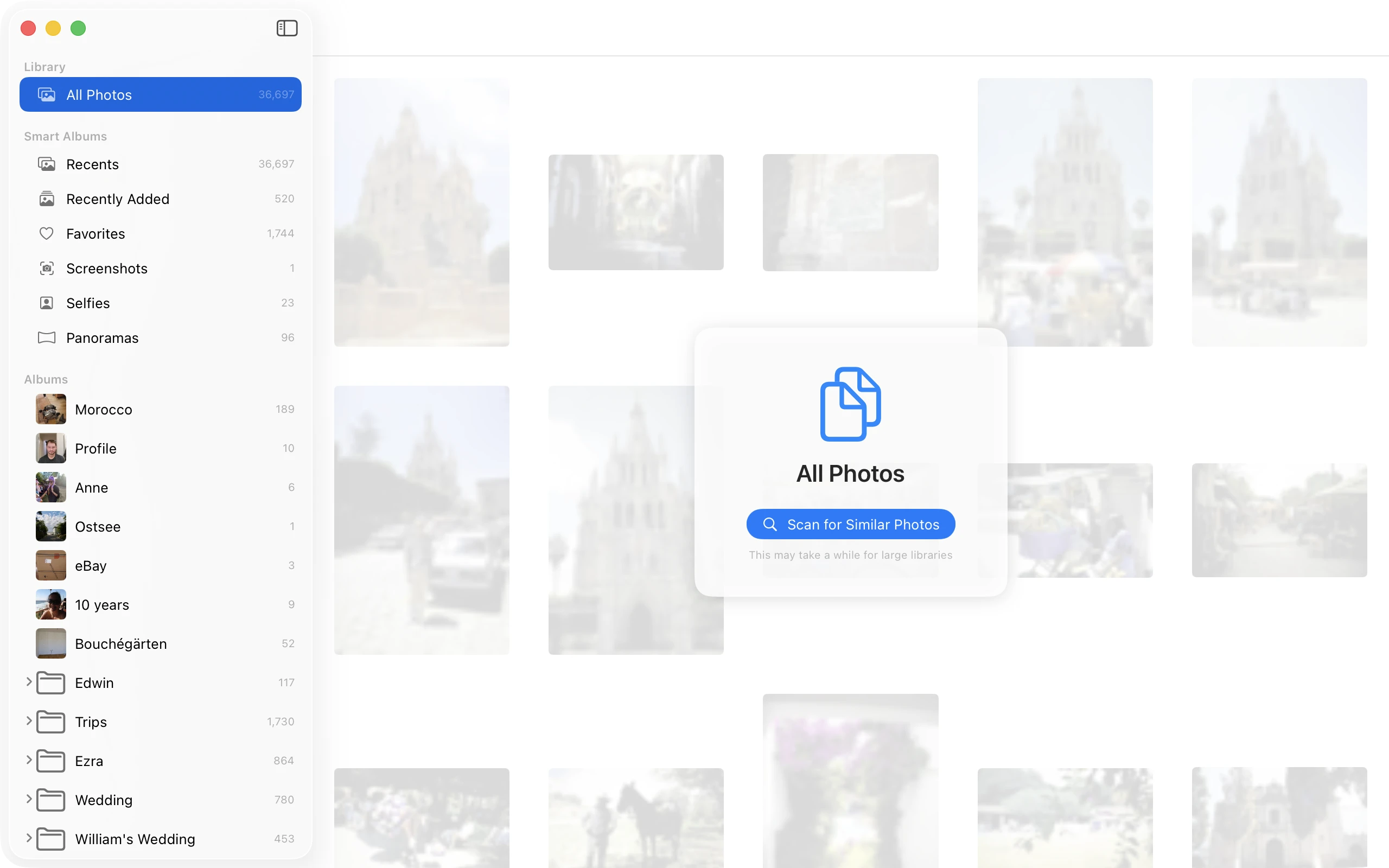
ShutterSlim album browser showing photo library

Your photo library is full of similar shots you don't need.

Burst mode shots. Multiple takes of the same scene. Slight variations you'll never look at twice. Over time, these pile up—wasting gigabytes of storage and making it harder to find the photos that actually matter.

30% Average rate of similar photos in libraries
5GB+ Typical storage wasted on similar shots

Smart detection of similar photos that actually works.

AI-Powered Analysis

Uses Apple's Vision framework to create neural network fingerprints—not just filename or timestamp matching.

Quality Scoring

Suggests the sharpest photo with the best composition, face quality, and resolution—but you make the final call.

You're In Control

Nothing is deleted without your approval. Review every group, then confirm before anything is removed.

Lightning Fast Rescans

Smart caching means the first scan takes minutes, but future scans take seconds.

Flexible Scanning

Scan your entire library, specific albums, or folders. Clean up vacation photos without touching everything else.

Native macOS Experience

Built with SwiftUI. Reads directly from your Photos.app library—works with photos stored locally on your Mac.

Three steps to a cleaner photo library.

1

Select & Scan

Choose an album, folder, or your entire Photos.app library. ShutterSlim analyzes every locally-stored photo using AI to find visually similar images and groups them together.

  • Real-time progress with estimated savings
  • Scans thousands of photos in minutes
  • Works entirely offline—your photos never leave your Mac
Album browser with scan button
2

Review & Decide

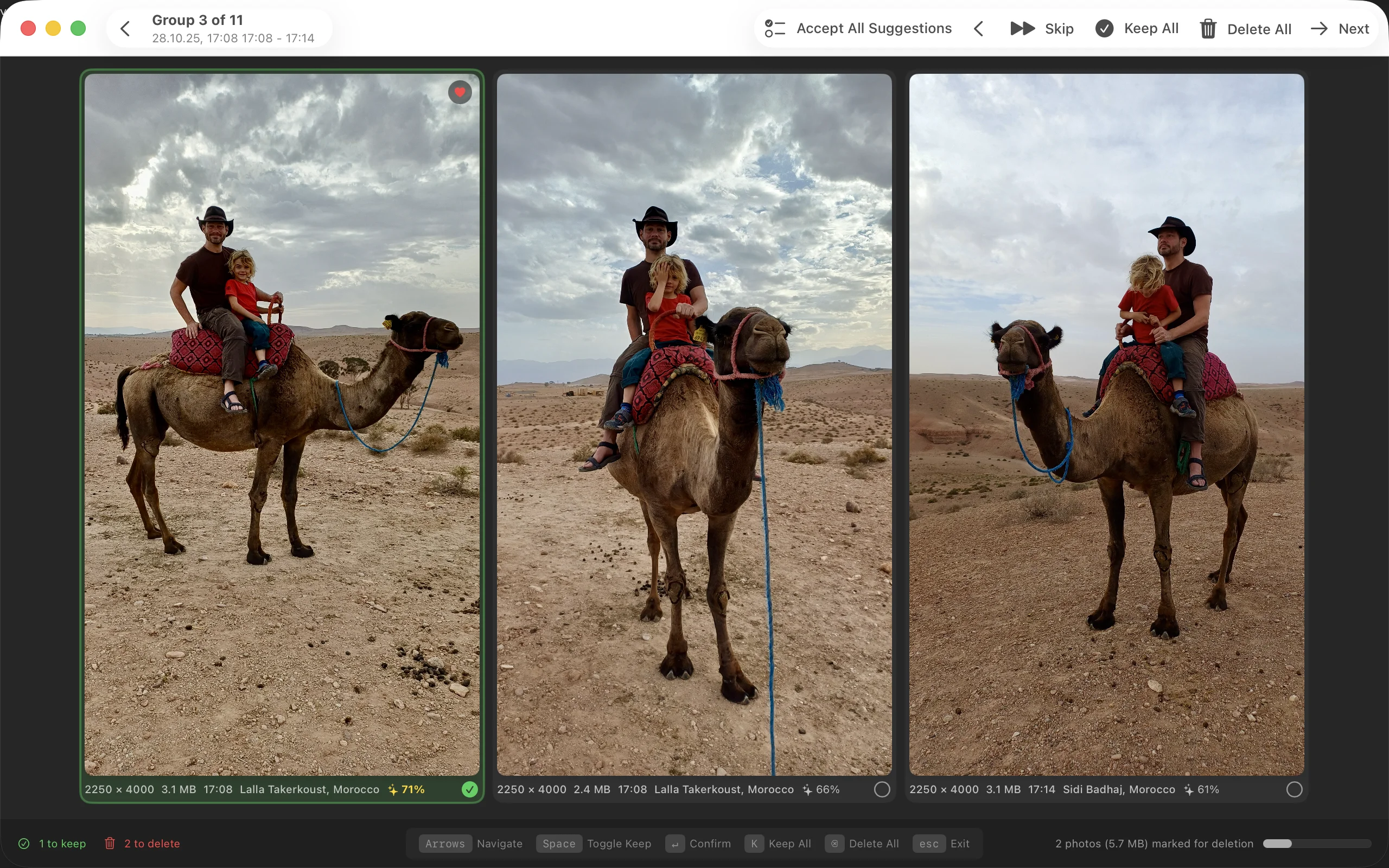
See groups of similar photos side-by-side with quality scores. The AI pre-selects the best photo in each group, but you have full control to override any decision.

  • Grid view for quick comparison
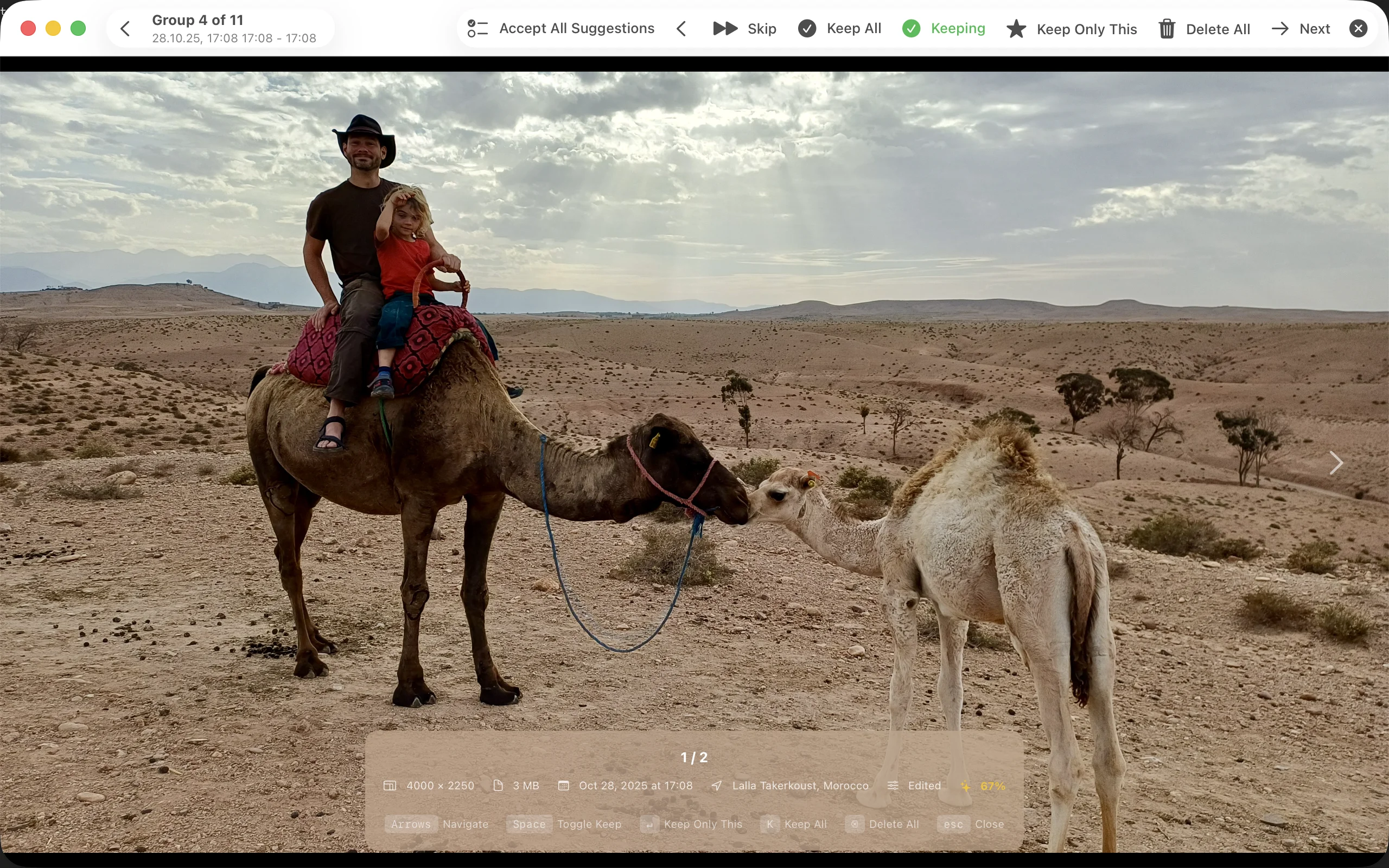
  • Fullscreen mode for detailed inspection
  • Keyboard shortcuts for power users
Grid review showing duplicate photos
3

Confirm & Clean

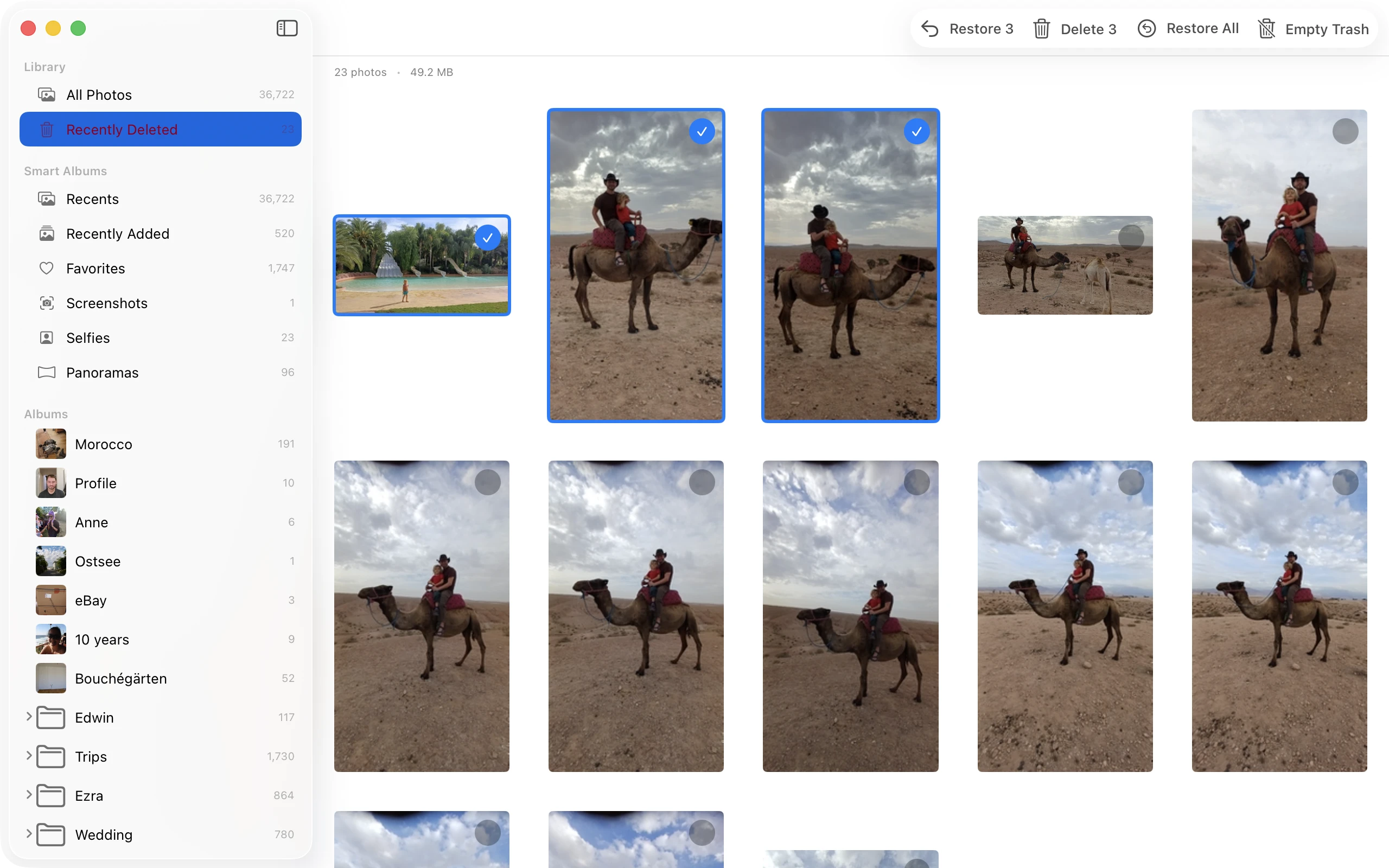
Review your trash before deletion. See exactly how much space you'll free. Deleted photos go to Photos.app's Recently Deleted for 30 days—just in case.

  • Restore any photo before permanent deletion
  • See storage savings in real-time
  • Empty trash when you're ready
Trash bin with restore options

Fullscreen comparison for pixel-perfect decisions.

When you need to see every detail, enter fullscreen mode. Compare photos at full resolution with keyboard shortcuts for lightning-fast decisions.

Navigate photos
Space Toggle keep/delete
Return Confirm & next group
Fullscreen photo comparison view

Ready to slim down your photo library?

Get ShutterSlim on the Mac App Store for just $9.99.

Download on the App Store

Requires macOS 14 Sonoma or later
Works with local photos in Photos.app (iCloud-only photos not supported)